
Top Reading Tablets: Perfect for Books and Comics
Author : Leo
May 01,2025
Books are a treasure trove of knowledge and entertainment, but they can also become bulky space invaders, especially when your apartment is already overflowing with them. If you're fortunate enough to have room for a traditional home library, that's wonderful! For the rest of us, a reading tablet is a fantastic solution. While you might miss the tactile experience of flipping through pages, a tablet offers a clutter-free way to build a vast, easily accessible personal library, including free books you can enjoy without leaving home. To help you dive into this digital reading world, we've handpicked some of the best tablets that make reading anywhere a breeze.
TL;DR - These Are the Best Tablets to Read on:
 Our Top Pick### Amazon Kindle Paperwhite
0See it at Amazon ### Apple iPad Mini (7th Gen)
0See it at AmazonSee it at AppleSee it at Best Buy ### Apple iPad Pro (2024, M4)
0See it at AmazonSee it at Apple ### OnePlus Pad 2
0See it at OnePlus ### Kobo Libra Colour
0See it at AmazonReading tablets come with a range of capabilities. E-readers, like our top pick, the Kindle Paperwhite, are designed specifically for book formats, often featuring screens that closely mimic the look and feel of actual pages. These devices are more limited in functionality – they're not ideal for scrolling through social media or streaming shows during breaks. On the other hand, general-purpose tablets like the iPad Mini offer much more versatility, though their displays might cause more eye strain and their batteries might not last as long. Features like note-taking, as seen on the Kobo Libra Colour, can be incredibly useful for students or anyone who enjoys annotating their reading material. Choosing the right tablet boils down to your specific needs and preferences.
Kindle Paperwhite
The Best Kindle and Best Reading Tablet
Our Top Pick### Amazon Kindle Paperwhite
0The Kindle Paperwhite offers a reading experience remarkably similar to a physical book, enhanced with a backlight and a host of user-friendly features. See it at AmazonProduct SpecificationsScreen size7" E InkScreen resolution300ppiFront light19 LEDsStorage16GBBattery12 weeksDimensions5" x 7" x 0.3"Weight211gPROSGreat battery lifeWater-resistantCONSPlastic buildIf your primary goal is to read, the Kindle Paperwhite is the ultimate tablet for the job. This e-reader keeps things straightforward, lacking a colorful screen, stylus support, or access to emails, apps, and notifications. It focuses on eliminating distractions with a simple, easy-to-read display that minimizes eye strain and extends battery life.
The latest Kindle Paperwhite boasts a slightly larger 7-inch e-ink display with a 300ppi resolution, designed to reduce blue light and glare. It features a new thin-film transistor for improved contrast, and the 19 LEDs around the screen ensure readability in various lighting conditions, from sunny beaches to dimly lit tents. Adjusting the warm backlight for darker environments is effortless, but for automatic adjustments and additional enhancements, consider the Kindle Paperwhite Signature.
Compared to its predecessor, the new Kindle Paperwhite offers a 20% performance boost, ensuring smooth page turns and seamless navigation through your book collection. Its 16GB of storage might seem modest compared to other tablets, but it's ample for storing thousands of books. Audiobooks consume more space, but cloud storage is available if you ever run low. Additional features include customizable text and font settings for easier reading, and an accessible dictionary. If you use Libby, you can't download the app directly to your Kindle, but you can send borrowed books to your Kindle from the Libby app on another device.
The Kindle Paperwhite's plastic construction keeps it slim and lightweight, reducing arm and wrist fatigue. Despite its seemingly fragile design, it's robust and waterproof. Even with its compact size, this e-reader boasts an impressive 12-week battery life on a single 2.5-hour charge. It's no wonder this is our top Kindle model.
iPad Mini (7th Gen)
Best iPad for Reading
### Apple iPad Mini (7th Gen)
0This compact iPad, weighing just over half a pound, features a vibrant 8.3-inch display, making it an excellent choice for reading on the go. See it at AmazonSee it at AppleSee it at Best BuyProduct SpecificationsScreen size8.3” Liquid Retina IPSScreen resolution326 ppiFront lightN/AStorage128GB, 256GB, 512GBBattery10 hoursDimensions7.69” x 5.3” x 0.25”Weight293gPROSFantastic displayCompact and portableCONSScreen glare due to glossy screenMost of Apple's iPads feature displays larger than 10 inches, which can be cumbersome for avid readers. Conversely, iPhone screens are often too small. The iPad Mini, with its 8.3-inch display, strikes a perfect balance, resembling the size of a paperback and weighing just 10.4oz. It's easy to carry anywhere and can be comfortably held in one hand, ideal for relaxed reading sessions. Plus, it retains all the functionality of Apple's top iPad models.
The iPad Mini's Liquid Retina display is a standout feature, offering adjustable brightness and True Tone technology for an optimal reading experience in various lighting conditions. Be mindful of potential glare due to the glossy screen. Pairing it with an Apple Pencil allows for easy annotations. However, the vibrant screen consumes battery life faster than the e-ink display of the Kindle Paperwhite, lasting up to 10 hours.
The latest iPad Mini is powered by an A17 Pro chip, the same as in the iPhone 15 Pro. While not as powerful as the M-series chips in the iPad Air and Pro models, it's more than sufficient for this compact device and supports Apple Intelligence. It effortlessly runs top reading apps like Apple Books, Amazon Kindle, comiXology, Libby, and Scribd. When you need a break from reading, it's equally adept at handling social media, streaming, and everyday tasks.
iPad Pro 2024 – Photos
 View 7 Images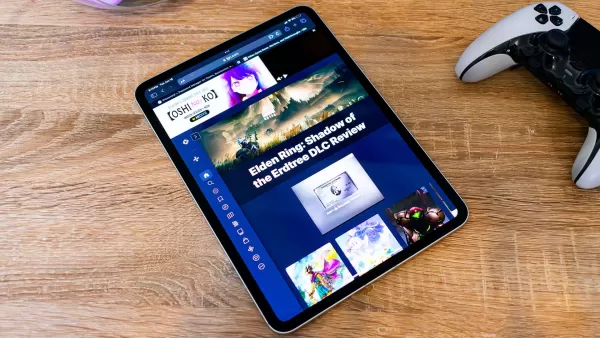
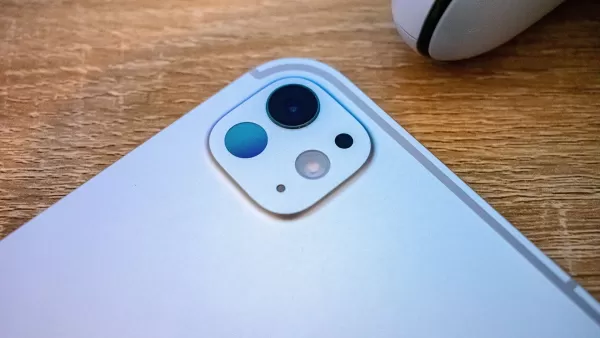
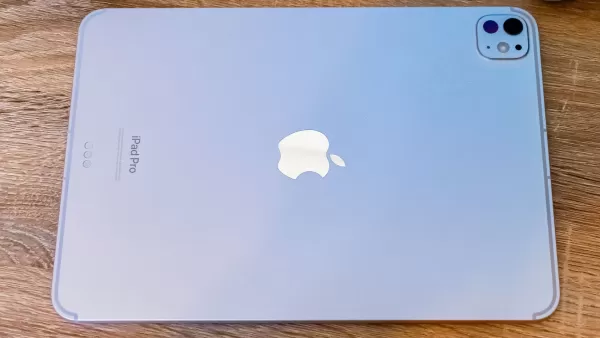 3. Apple iPad Pro (2024, M4)
Best Tablet for Reading Comics and Manga
### AppleiPad Pro (2024, M4)
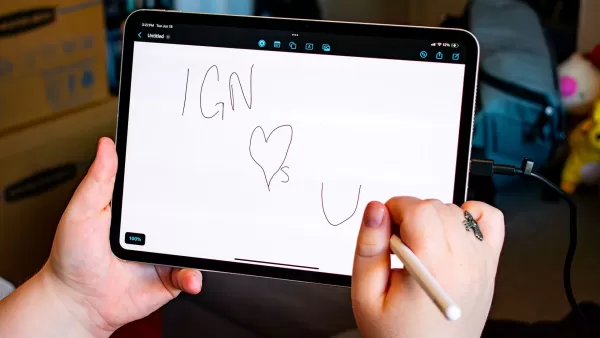
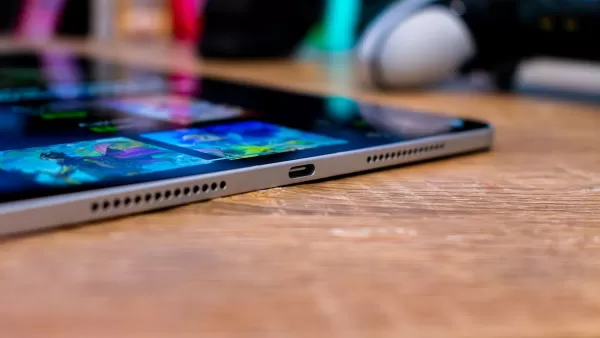
0The iPad Pro, equipped with an Apple M4 processor and an OLED display, represents the pinnacle of Apple's tablet offerings. See it at AmazonSee it at AppleProduct SpecificationsScreen size11-inch, 13-inchScreen resolution264 ppiFront lightN/AStorage256GB, 512GB, 1TB, 2TBBattery10 hoursDimensions9.74" x 7.02" x 0.23", 11.09" x 8.48" x 0.20" Weight444g, 582gPROSStunning OLED displayPowerful Apple M4 processorCONSOverkill for some usersIf you're drawn to the vibrant world of comics or aspire to create your own, the iPad Pro is the ideal choice. Despite its large 11-inch or 13-inch display, it remains slim and lightweight.
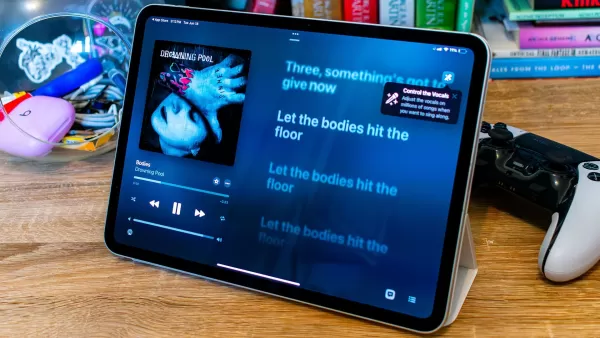
The iPad Pro's OLED display is truly captivating. As the first iPad to feature this technology, it offers vivid colors and excellent contrast, making images pop. In IGN's review of the iPad Pro, Jackie Thomas praised the display while enjoying the Star Wars: The High Republic comics.
Such a stunning display demands significant processing power, which the iPad Pro's M4 chip delivers effortlessly. It's capable of handling heavy workloads, including gaming and design, thanks to its 8GB GPU. Aspiring artists will find this tablet perfect for creating comics or graphic novels, as it's designed to support such creative endeavors.
Support for the Apple Pencil Pro can elevate your artistic projects, while adding a keyboard turns the iPad Pro into a viable laptop replacement. Keep in mind, though, that additional accessories can quickly add to the cost of this already premium device.
OnePlus Pad 2 – Photos
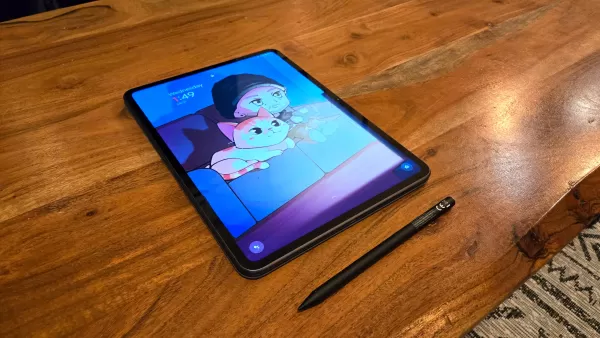
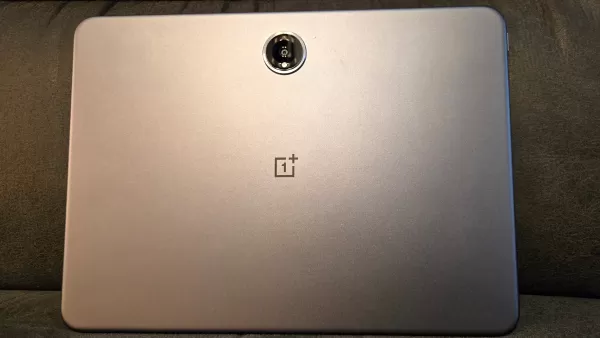 View 4 Images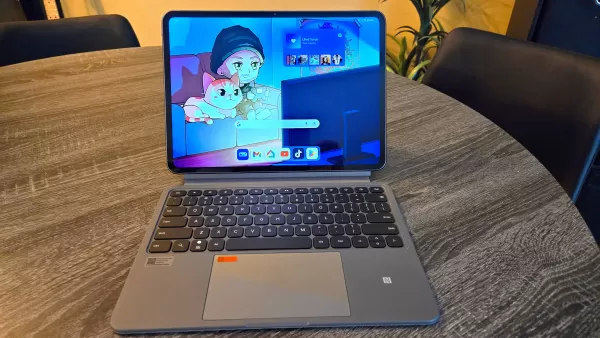
 4. OnePlus Pad 2
Best Android Tablet for Reading
### OnePlus Pad 2
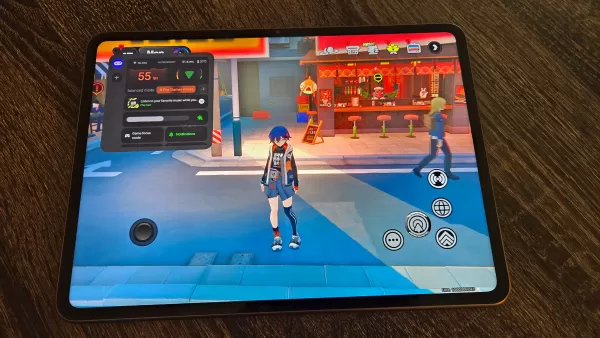
0Experience top-notch performance, a sleek and smooth display, and overall superior quality with the OnePlus Pad 2. See it at OnePlusProduct SpecificationsScreen size12.1”Screen resolution303ppiFront lightN/AStorage256GBBattery12 hoursDimensions10.6" x 7.7" x 0.26"Weight584gPROSAmple storage80W fast charging supportCONSHeavier than other tabletsOnePlus, known for its impressive smartphones, also offers a stellar reading tablet. The OnePlus Pad 2 features a stunning 12.1-inch, 3K display with 10-bit color depth and HDR support. Its crisp, vibrant visuals were clear even in the morning sunlight, as noted in our hands-on review of the OnePlus Pad 2.
Powered by a Snapdragon 8 Gen 3 processor and 12GB of RAM, the OnePlus Pad 2 competes with the best Android tablets. It ensures smooth page turns, effortless navigation through reading apps, and ample storage with 256GB. An integrated AI toolbox can summarize articles or assist with writing, and stylus support makes annotating easy.
While the tablet's size and premium build make it somewhat heavy for one-handed use, its 9,510mAh battery lasts an impressive 12 hours. And with 80W fast charging, you can recharge it to 100% in under 75 minutes.
Kobo Libra Colour
Best Reading and Writing Tablet
### Kobo Libra Colour
0This lightweight e-reader features a colorful display and stylus support for an enhanced reading and writing experience. See it at AmazonProduct SpecificationsScreen size7” E-Ink Kaleido 3Screen resolution300ppi (black and white), 150ppi (color)Front lightYesStorage32GBBattery40 daysDimensions6.34 x 5.69 x 0.33Weight201gPROSColorful e-Ink display for easy viewingStylus support for note-takingCONSOnly good for reading and writingThe Kobo Libra Colour stands up to Amazon's Kindle series with its 7-inch display, perfect for reading with ample margin space. Its ergonomic design, featuring wider bezels on one side and a lightweight build, allows for comfortable one-handed use, with buttons for easy page turns.
Kobo's E-Ink Kaleido 3 display offers a 300ppi resolution in black and white and 150ppi in color. While the colors are more muted than those on traditional tablets, they enhance the reading experience, especially for comics and graphic novels, without causing glare in bright sunlight. The ComfortLight Pro feature ensures comfortable reading in low light and reduces blue light exposure.
Powered by a dual-core 2.0GHz processor, the Kobo Libra Colour delivers responsive performance for reading and note-taking. It integrates seamlessly with the OverDrive library, but note that this e-reader is designed solely for reading and writing, not for social media or email.
The Kobo Libra Colour supports writing with the Kobo Stylus 2, allowing you to annotate books and highlight passages with your finger. Kobo also provides various notebooks for jotting down notes and sketching, some of which can convert handwriting to text. For a larger note-taking display, consider the Kobo Elipsa 2E, which offers a grayscale alternative.
How to Choose the Best Reading Tablet
Selecting the best reading tablet involves considering several key factors to ensure it meets your specific needs. Whether you're a fiction enthusiast, a student studying textbooks, or a professional dealing with PDFs, the right tablet can enhance your reading experience significantly.
First, focus on display quality. Since you'll be spending most of your time looking at the screen, it's crucial for eye comfort, especially during extended reading sessions. Tablets with blue light reduction or e-ink technology, which mimics paper, can help minimize eye strain. E-ink screens are gentler on the eyes, but LCD screens offer more versatility for multiple uses.
Battery life is another essential consideration, particularly if you read on the go. Opt for tablets with long-lasting batteries to ensure uninterrupted enjoyment of your books, magazines, or documents.
Lastly, consider the size and weight of the tablet, as these factors affect comfort during prolonged use. While larger screens can provide a more immersive reading experience, they shouldn't compromise portability. A slim, lightweight design makes it easier to carry and hold with one hand.
Best Tablets for Reading FAQ
What is the best tablet for reading according to Reddit?
Reddit users on the r/androidtablets subreddit often recommend the Aldocube 50 Mini and Mini Pro for their lightweight design and suitable screen size for reading. Others praise Barnes & Noble's Nook for its e-paper technology, which offers a reading experience similar to that of a physical book.
Are tablets good for reading books?
Yes, tablets can be excellent for reading books, but be aware that regular LCD screens may cause more eye strain than e-ink models. Also, keep in mind that battery life on standard tablets is typically shorter than on devices like the Kindle due to their more demanding hardware.
What is the best tablet for reading outside?
For outdoor reading, the Kindle Paperwhite is ideal. Its e-ink display, which closely resembles printed paper, reduces glare, brightness, eye strain, and conserves battery life better than LCD screens. It's also IPX8 water-resistant, making it perfect for poolside or rainy day reading.
Latest Articles

Mutants: Genesis Hits iOS, Android, Steam After Early Access
Clash Royale players finally get to witness the highly anticipated evolution of the Inferno Dragon. After nearly a decade without an upgrade, this fiery Legendary card receives a powerful transformation. The developers at Supercell teamed up with Fin

Pokemon GO Road Trip 2025 Details, Summer Pikachu Available
Experience Pokémon GO Road Trip Truck stops in the gameFind Wooloo, Phanpy, and Alolan Geodude in the wildSummer-style Pikachu makes a special appearanceIf today's new details don't get you excited for the Pokemon GO Road Trip 2025, nothing will. Thi
PlayStation Stars Shuts Down After 3 Years
Sony has announced the discontinuation of its PlayStation Stars loyalty program less than three years after its introduction.The rewards initiative stopped accepting new members today, with exiting participants unable to rejoin. Canceling membership
Mastering Cooking in Ragnarok X: Next Generation
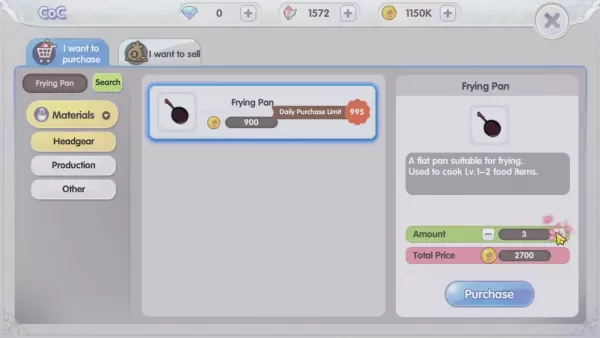
Cooking in Ragnarok X: Next Generation is a dynamic system that enhances combat, resource gathering, and character progression. Preparing dishes grants temporary boosts, improving dungeon survivabilit

Poppy Playtime Chapter 4 Launches with Introductory Sale
Uncover new characters and a deeper backstoryNavigate the depths of the Playtime Co. factoryLimited-time introductory discount availableMob Entertainment has officially released Poppy Playtime Chapter 4, allowing you to dive into the next chilling ch

Japan Expansion for Ticket to Ride: Build the Bullet Train Network!
Ticket to Ride now lets you embark on a virtual train journey across Japan with its latest expansion. Marmalade Game Studio and Asmodee Entertainment have launched the Japan Expansion for their digital adaptation of the classic board game.
Help Build
Latest Games

Escape Horror Game : 50 Rooms
Puzzle丨34.6 MB

Monster Truck Go: Racing Games
Racing丨123.3 MB
Offroad Mud Truck Game Offline
Racing丨86.8 MB

Traffic Tour Classic
Racing丨102.3 MB
Demolition Derby Car Racing
Racing丨35.1 MB
Slingshot Crash
Racing丨220.2 MB

Savanna Race
Racing丨24.8 MB
Bridge Car Race
Racing丨36.0 MB









Top News
MORE +


01
01-07
BREAKING: Flight Simulator 2024 Login Woes Ground Players
Flight Simulator 2024 Launch Plagued by Technical Difficulties
The highly anticipated launch of Flight Simulator 2024 has been significantly hampered by widespread technical problems, leaving many players grounded before they could even take to the virtual skies. This article details the reported d
02
01-06
CDPR acknowledged weak gameplay in The Witcher 3
The Witcher 3, while critically acclaimed, wasn't without its flaws. Many fans felt the combat system fell short.
In a recent interview, Witcher 4's game director, Sebastian Kalemba, acknowledged weaknesses in the previous game's gameplay, specifically highlighting the need for significant improvem
03
11-17
Hogwarts Legacy 2 is "One of the Biggest Priorities" for WB Games
Following the successful launch of Quidditch Champions this week, Warner Bros. Discovery has confirmed its plans for a sequel to last year's Harry Potter-based action RPG hit Hogwarts Legacy—2023's best-selling game.Hogwarts Legacy Sequel Plans Confirmed by Warner Bros. DiscoveryExpected in
04
11-16
Airplane Chefs Brings The Ultimate Snack, Pringles, On Board!
Buckle up for some snacks as Nordcurrent has just dropped an exciting event for their cooking game. It’s the most unexpected collab of Airplane Chefs and Pringles. If you’ve been enjoying your virtual life as a flight attendant, things are about to get a lot tastier.The game developer behind p
05
11-16
Play Together to collaborate with Sanrio and introduce new My Melody and Kuromi content
Play Together is bringing back its Sanrio collab with the appearance of My Melody and KuromiYou can collect coins by completing their themed missions that can then be used to draw exclusive itemsAs a bonus there's also new summer-themed content and events, including a major bug huntPlay Together, th
Topics
More +

