
Conquering the Skies in Minecraft: Everything About Elytra
Author : Savannah
Apr 04,2025
Minecraft offers a variety of travel methods, but none quite match the thrill and freedom of gliding through the air with Elytra. This rare piece of equipment opens up new possibilities, allowing players to traverse vast distances swiftly and execute impressive aerial maneuvers.
In this comprehensive guide, we'll walk you through the process of obtaining Elytra across different game modes, as well as how to use, repair, and enhance them for the ultimate flying experience.
Table of Contents
- Basic Information
- How to Get Elytra in Minecraft in Survival Mode
- Preparing for Battle
- Activating the Portal to the End
- Finding the Stronghold
- Battle with the Dragon
- Inside the Ship
- Creative Mode
- Commands
- How to Fly with Elytra
- Flight Controls
- Fireworks Boost
- How to Upgrade and Repair Elytra
- Using Anvil
- Using the Mending Enchantment
Basic Information
Elytra is a unique and coveted item in Minecraft that enables players to glide through the air, significantly enhancing exploration speed and efficiency, especially when paired with fireworks. When not in use, Elytra resembles a cloak, but when deployed, it transforms into majestic wings.
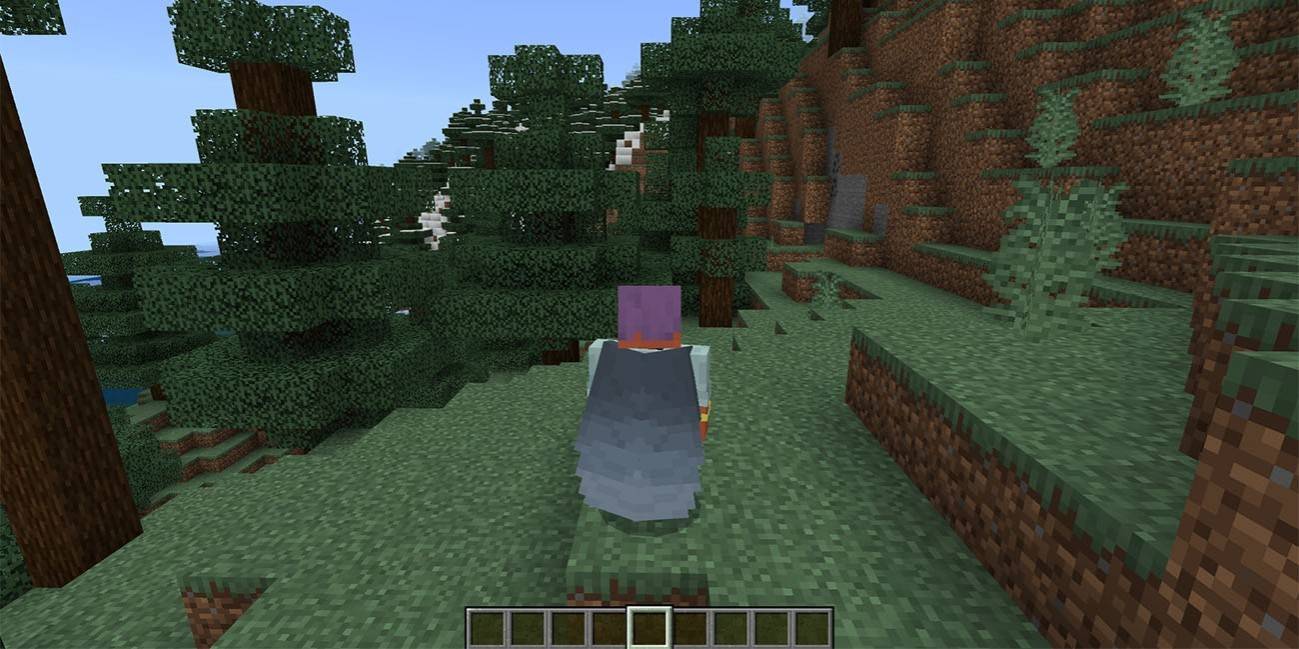 Image: ensigame.com
In the game's natural environment, Elytra can only be found in the End dimension, specifically within Ships near End Cities, after defeating the Ender Dragon. However, alternative methods exist for obtaining them in different game modes, which we'll explore in detail.
How to Get Elytra in Minecraft in Survival Mode
Preparing for Battle
Before setting out on your quest for Elytra, thorough preparation is key. Equip yourself with Diamond or Netherite armor, ideally enchanted for maximum protection. Arm yourself with an enchanted sword and a bow, perhaps with Infinity or Power enchantments for ranged combat against the dragon.
Stock up on arrows or a crossbow loaded with fireworks for effective attacks. Bring potions of regeneration, strength, and slow falling to aid in health recovery, boost damage, and cushion falls. Don't forget food, especially golden apples for emergency healing, and blocks to reach the End Crystals. To avoid Endermen aggression, wear a carved pumpkin on your head during the fight.
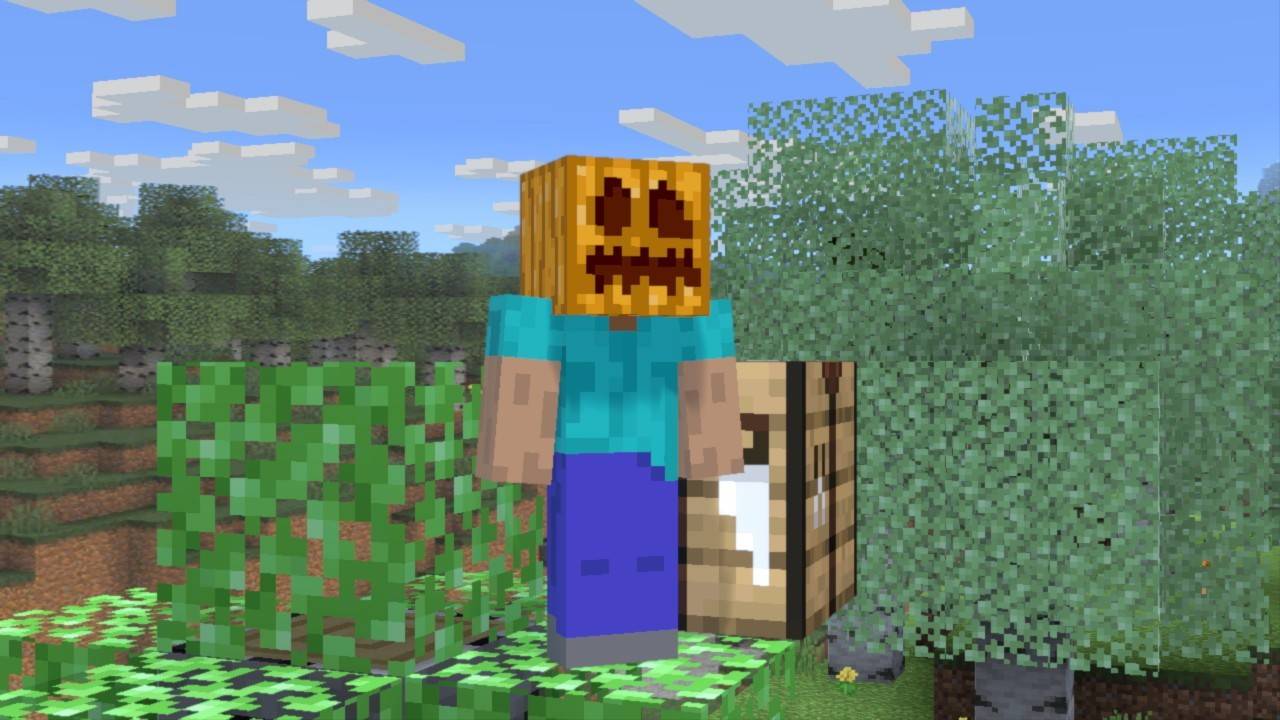 Image: gamebanana.com
Activating the Portal to the End
To access the End, you'll need to activate the portal using 12 Eyes of Ender, which also help locate the Stronghold. Crafting an Eye of Ender requires Blaze Powder, obtained from Blaze Rods dropped by Blaze mobs in the Nether Fortress, and Ender Pearls, dropped by Endermen found on the surface or in caves.
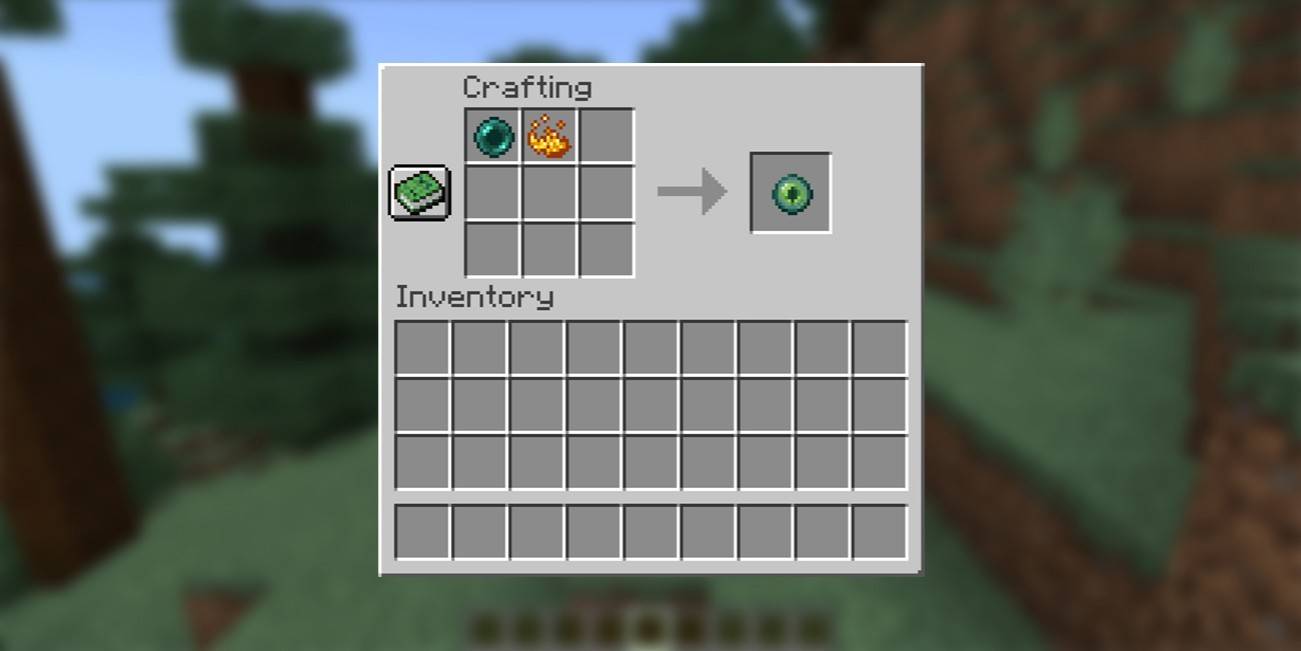 Image: ensigame.com
Finding the Stronghold
Use the Eye of Ender to locate the Stronghold by throwing it and following its trajectory. Once you're close, dig down to find the ancient labyrinth filled with hostile mobs like skeletons, creepers, and cave spiders. Inside, locate the portal room, insert the Eyes of Ender into the frame, and step through to the End.
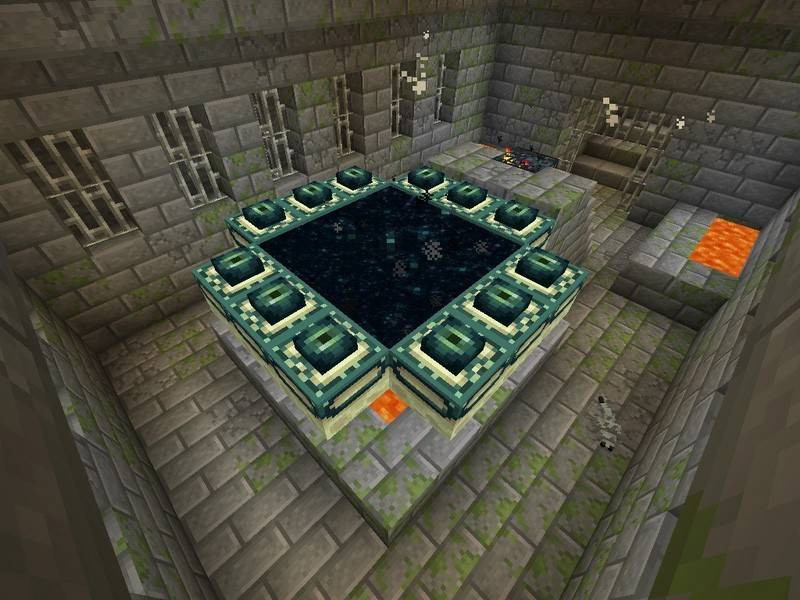 Image: peminecraft.com
Battle with the Dragon
Upon entering the End, you'll face the Ender Dragon. Prioritize destroying the End Crystals to prevent the dragon from regenerating health. Use your bow for ranged attacks or approach the crystals to destroy them manually. Once the crystals are gone, focus on the dragon, using your bow when it's airborne and your sword when it lands.
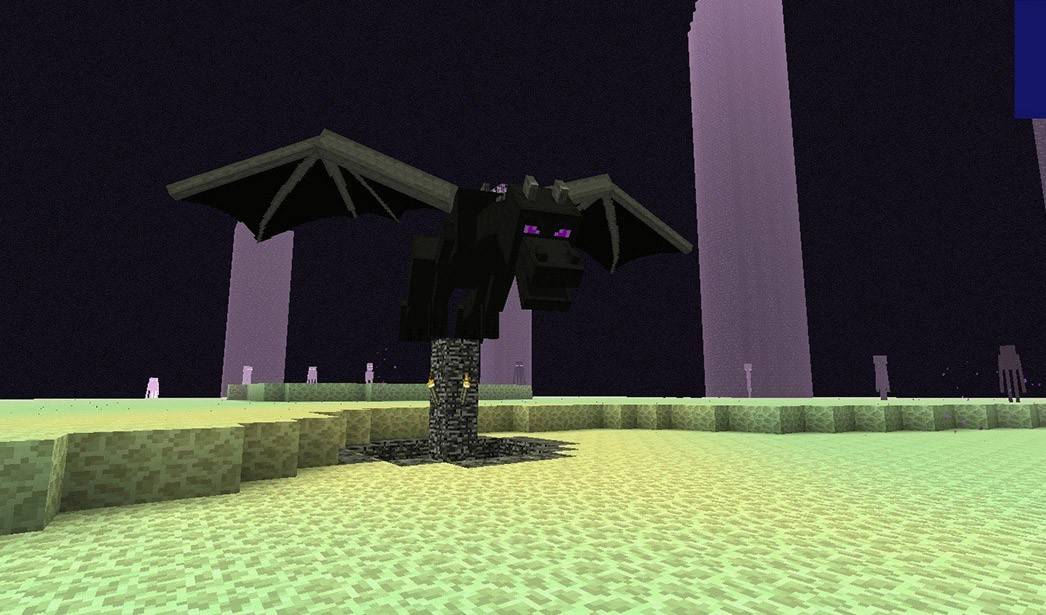 Image: peminecraft.com
After defeating the dragon, an End Gateway portal will appear. Throw an Ender Pearl into it to teleport to the outer islands, where you'll find End Cities and potentially an End Ship. Be prepared to deal with Shulkers guarding the ship.
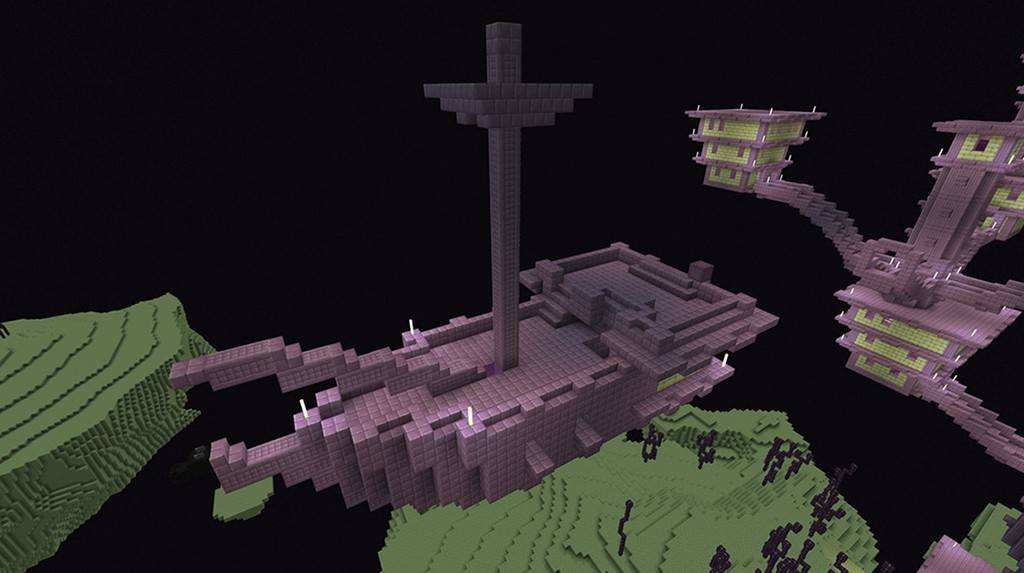 Image: youtube.com
Inside the Ship
Inside the End Ship, locate the Item Frame on the wall containing the Elytra. Break the frame to claim the wings and check any nearby chests for additional rewards.
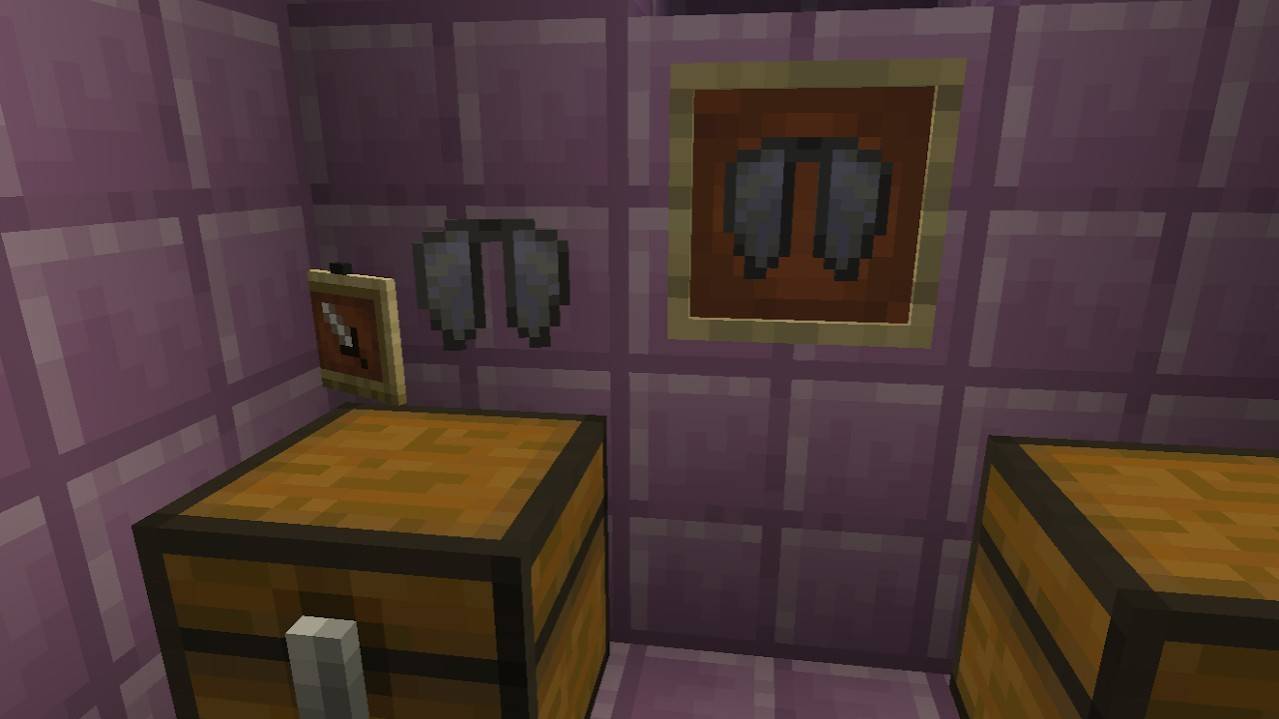 Image: reddit.com
Creative Mode
For those who prefer a less challenging approach, obtaining Elytra in Creative Mode is straightforward. Simply open your inventory, search for "Elytra," and add it to your inventory for immediate use.
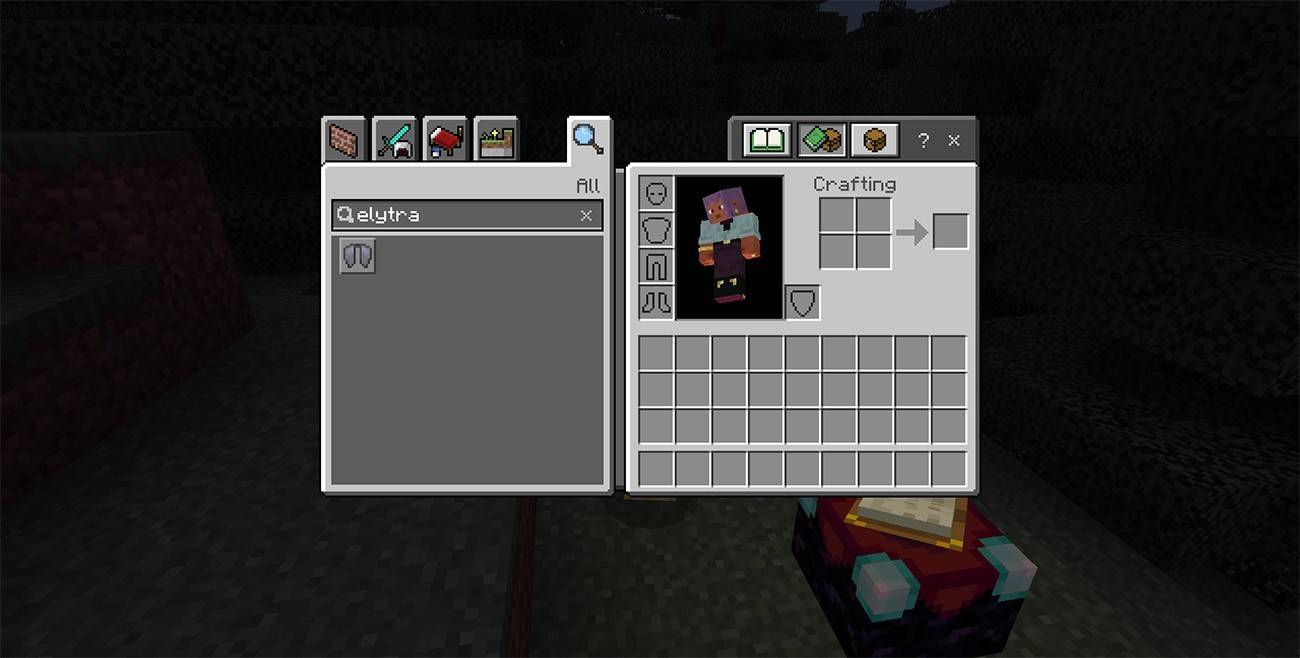 Image: ensigame.com
Commands
If you're comfortable with using commands, ensure cheats are enabled in your world settings or through LAN. Open the chat and enter the command /give @s minecraft:elytra to instantly receive Elytra in your inventory.
How to Fly with Elytra
To use Elytra, equip them in the chest armor slot of your inventory. Find a high place to jump from, and press the Space key to start gliding.
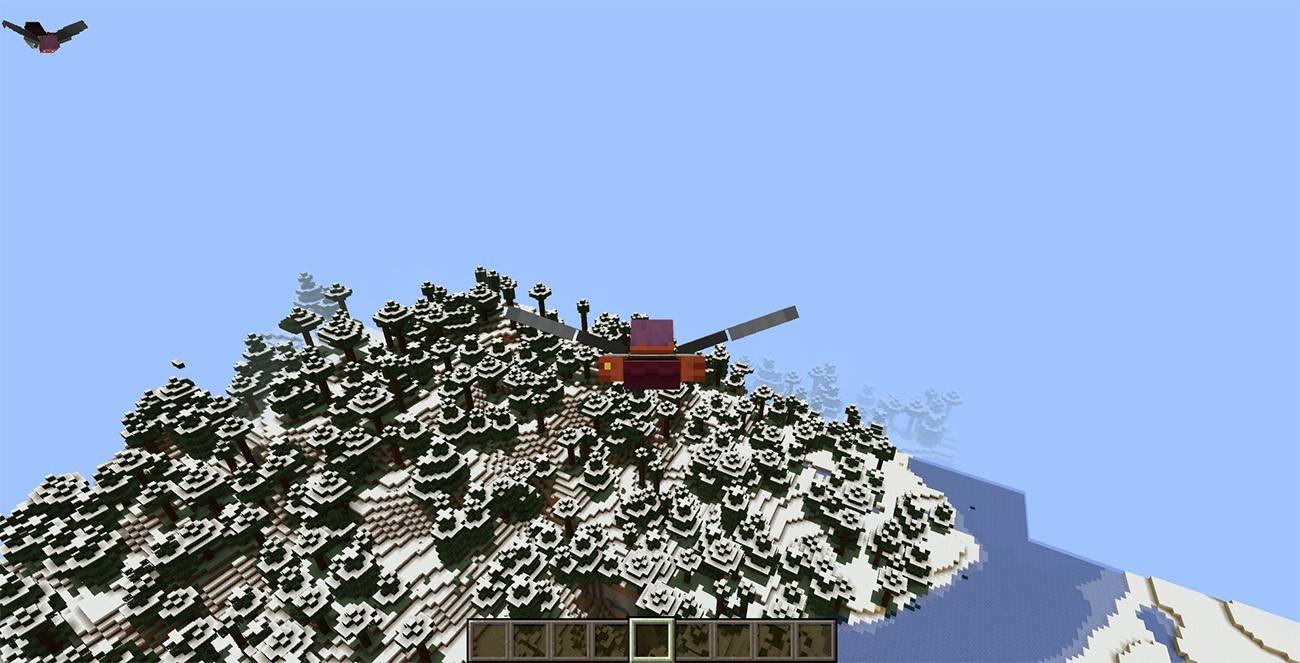 Image: ensigame.com
Flight Controls
Control your flight using the following keys:
- W – Move forward
- A – Turn left
- S – Slow down or descend
- D – Turn right
Fireworks Boost
To increase your speed, craft Fireworks using 1 Paper and 1 Gunpowder. The more ingredients, the longer the boost. Hold the Fireworks in your hand and press the action button to accelerate your flight.
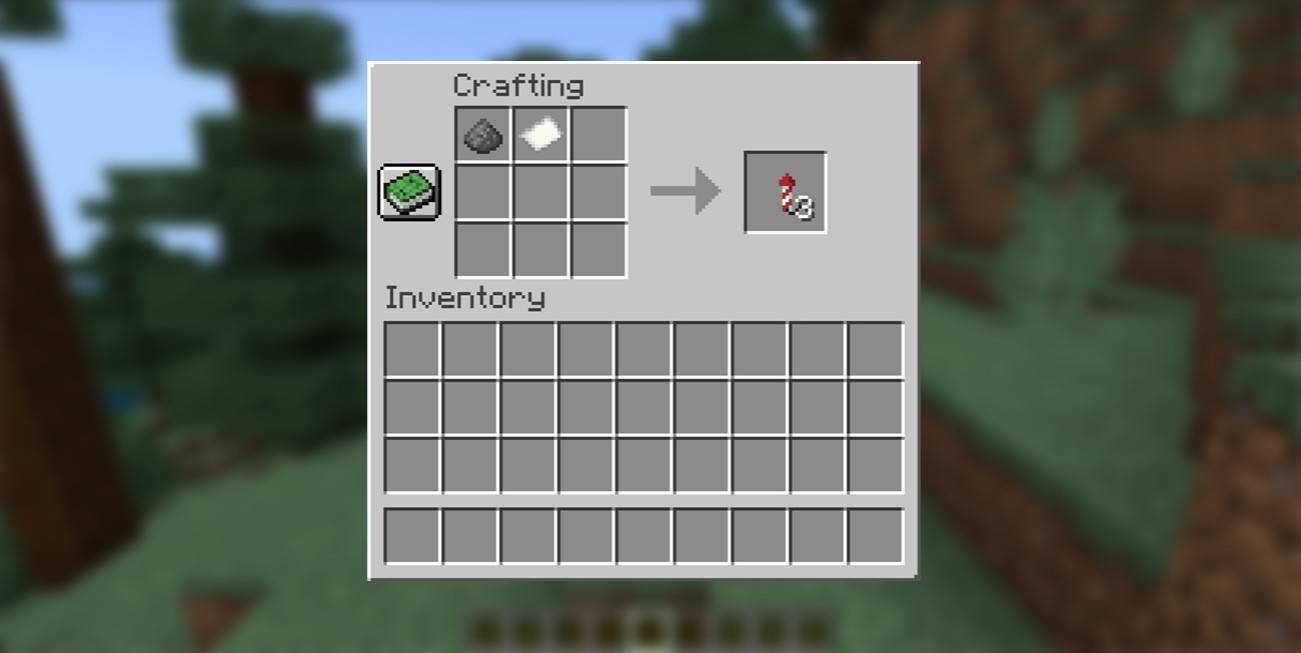 Image: ensigame.com
How to Upgrade and Repair Elytra
Using Anvil
To extend the durability of your Elytra, use the Unbreaking enchantment. Place the Elytra and an Enchanted Book with Unbreaking into an Anvil to combine them.
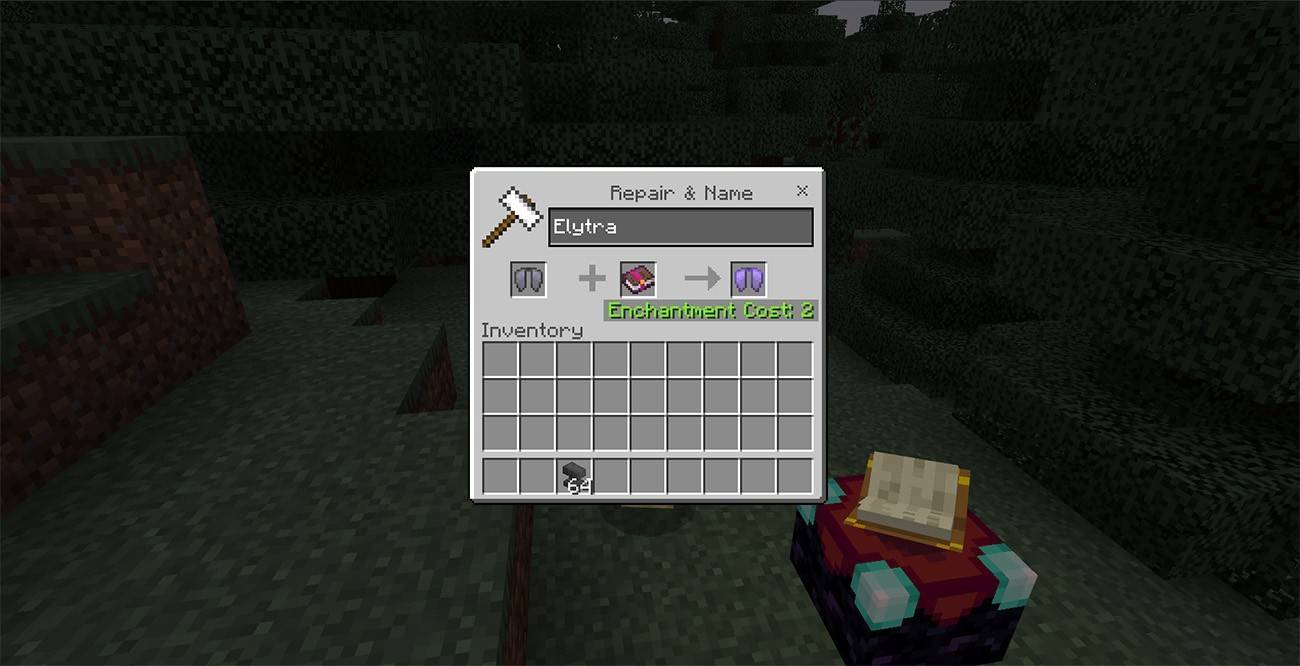 Image: ensigame.com
For repairs, use an Anvil, placing the Elytra in the left slot and leather in the right slot. Once repaired, retrieve the restored Elytra from the right slot.
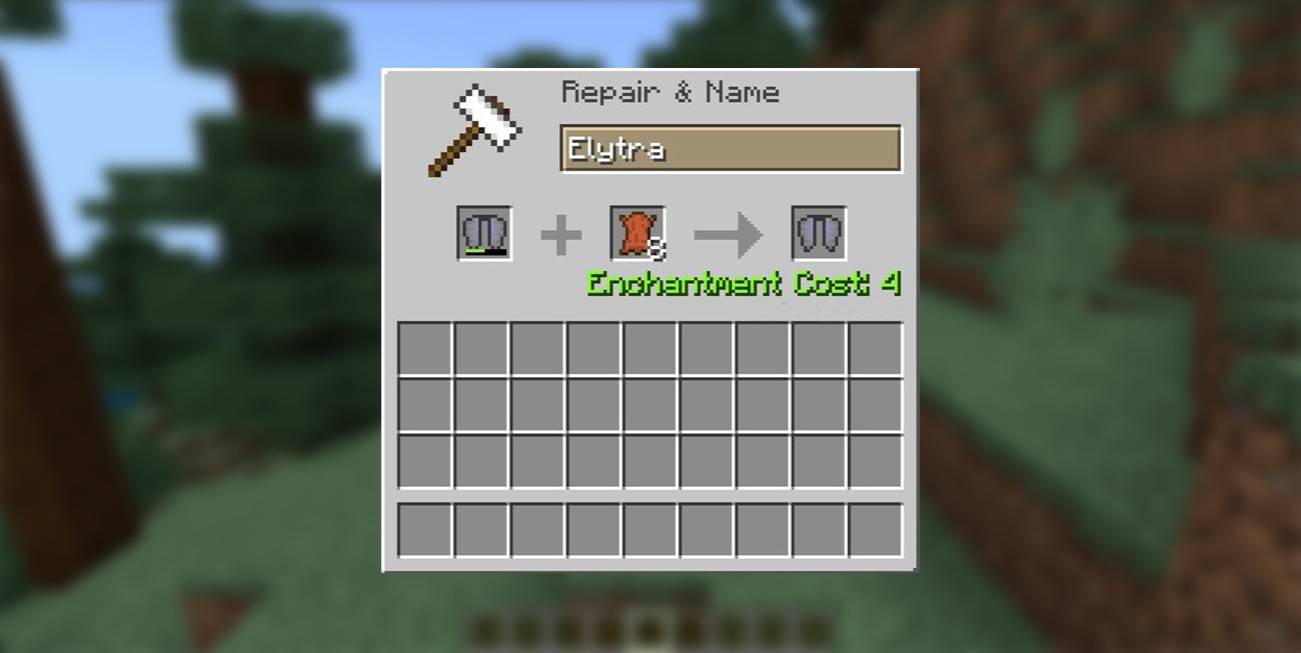 Image: ensigame.com
Using the Mending Enchantment
To apply the Mending enchantment, find an Enchanted Book with Mending, which can be found in chests, fished from water, or traded. Use an Enchanting Table or Anvil to apply the enchantment to your Elytra. Once enchanted, the Elytra's durability will automatically restore as you collect experience points.
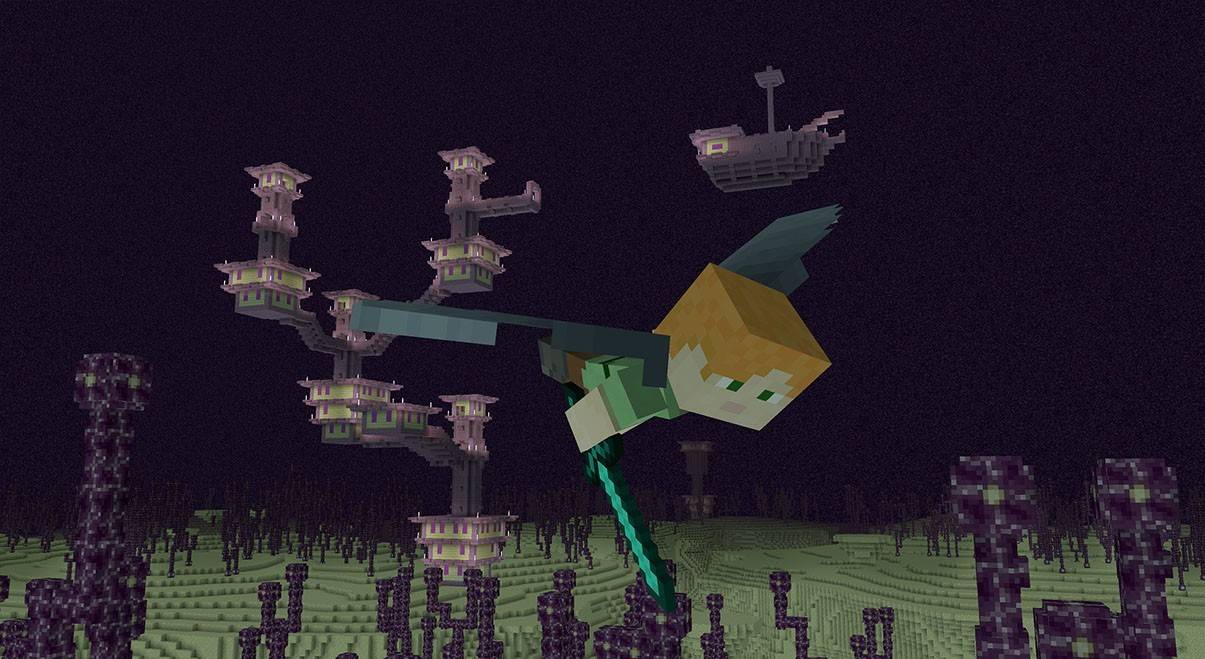 Image: ensigame.com
Elytra in Minecraft not only revolutionizes travel but also adds a thrilling dimension to gameplay. With practice, you'll master the art of gliding, exploring the vast cubic world from new heights. Equip yourself with the necessary resources, and let the skies be your playground!
Latest Articles

The $13 FrSara Portable Neck Fan Is an Inexpensive Solution to Beating the Summer Heat
Summer has arrived, and neck fans are seeing a surge in popularity. These portable fans offer a simple, effective, and affordable way to stay cool and comfortable. Amazon is currently offering 50% off the FrSara Rechargeable Portable Neck Fan with th
Hand-Drawn Photography Adventure Game TOEM Opens Pre-Registration on Mobile
BAFTA-winning title TOEM: A Photo Adventure arrives on mobile devices worldwide.
Developed by Swedish indie studio Something We Made, pre-registration for TOEM is now available on Android. The official release date is set for October 22nd.
Fun fact:
Mutants: Genesis Hits iOS, Android, Steam After Early Access
Clash Royale players finally get to witness the highly anticipated evolution of the Inferno Dragon. After nearly a decade without an upgrade, this fiery Legendary card receives a powerful transformation. The developers at Supercell teamed up with Fin

Pokemon GO Road Trip 2025 Details, Summer Pikachu Available
Experience Pokémon GO Road Trip Truck stops in the gameFind Wooloo, Phanpy, and Alolan Geodude in the wildSummer-style Pikachu makes a special appearanceIf today's new details don't get you excited for the Pokemon GO Road Trip 2025, nothing will. Thi

PlayStation Stars Shuts Down After 3 Years
Sony has announced the discontinuation of its PlayStation Stars loyalty program less than three years after its introduction.The rewards initiative stopped accepting new members today, with exiting participants unable to rejoin. Canceling membership
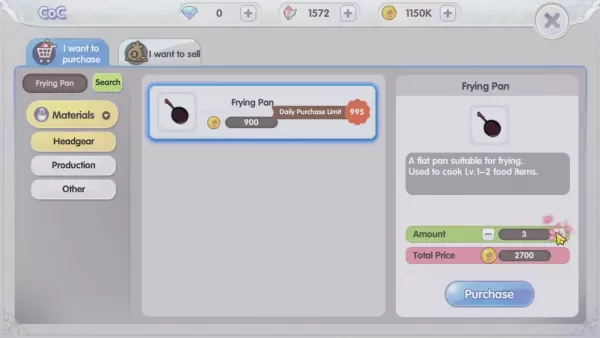
Mastering Cooking in Ragnarok X: Next Generation
Cooking in Ragnarok X: Next Generation is a dynamic system that enhances combat, resource gathering, and character progression. Preparing dishes grants temporary boosts, improving dungeon survivabilit
Latest Games

【麻雀】爽快麻雀!イーシャンテン
Board丨42.1 MB


Fun 101 Okey®
Board丨198.7 MB
Backgammon V+
Board丨14.9 MB
Fidget Pop Battle
Board丨42.5 MB

Tracks : Siren Bay
Board丨354.1 MB

通信軍人将棋(審判できます)
Board丨16.5 MB
Solitaire Fish
Card丨103.5 MB
Exploding Kittens NETFLIX
Card丨495.4 MB









Top News
MORE +


01
01-06
CDPR acknowledged weak gameplay in The Witcher 3
The Witcher 3, while critically acclaimed, wasn't without its flaws. Many fans felt the combat system fell short.
In a recent interview, Witcher 4's game director, Sebastian Kalemba, acknowledged weaknesses in the previous game's gameplay, specifically highlighting the need for significant improvem
02
01-07
BREAKING: Flight Simulator 2024 Login Woes Ground Players
Flight Simulator 2024 Launch Plagued by Technical Difficulties
The highly anticipated launch of Flight Simulator 2024 has been significantly hampered by widespread technical problems, leaving many players grounded before they could even take to the virtual skies. This article details the reported d
03
11-17
Hogwarts Legacy 2 is "One of the Biggest Priorities" for WB Games
Following the successful launch of Quidditch Champions this week, Warner Bros. Discovery has confirmed its plans for a sequel to last year's Harry Potter-based action RPG hit Hogwarts Legacy—2023's best-selling game.Hogwarts Legacy Sequel Plans Confirmed by Warner Bros. DiscoveryExpected in
04
11-16
Airplane Chefs Brings The Ultimate Snack, Pringles, On Board!
Buckle up for some snacks as Nordcurrent has just dropped an exciting event for their cooking game. It’s the most unexpected collab of Airplane Chefs and Pringles. If you’ve been enjoying your virtual life as a flight attendant, things are about to get a lot tastier.The game developer behind p
05
11-16
Play Together to collaborate with Sanrio and introduce new My Melody and Kuromi content
Play Together is bringing back its Sanrio collab with the appearance of My Melody and KuromiYou can collect coins by completing their themed missions that can then be used to draw exclusive itemsAs a bonus there's also new summer-themed content and events, including a major bug huntPlay Together, th
Topics
More +

