
Application Description
LINE is revolutionizing global communication, bridging the gap between family, friends, and loved ones at no cost. Featuring high-quality voice and video calls, instant messaging, and an expansive library of creative stickers, LINE empowers you to express yourself in ways you never imagined. Accessible worldwide on mobile, desktop, and Wear OS devices, the LINE platform constantly evolves, introducing innovative services and features that enhance your daily life with fun and convenience.
Key Features of LINE:
Messages, Voice Calls, and Video Calls
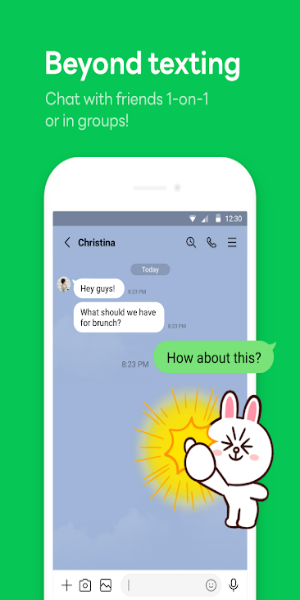
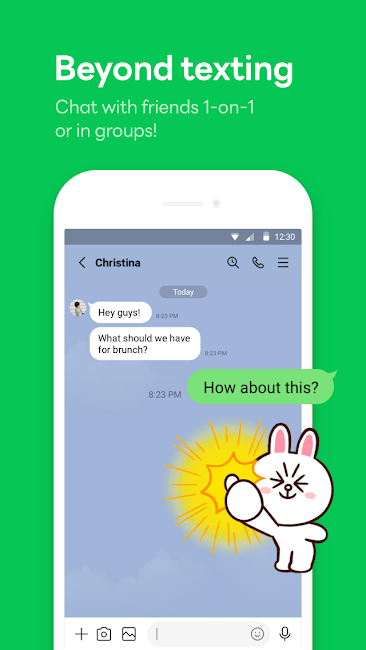
Stay connected with your LINE community through diverse communication tools. Enjoy seamless text messaging, crystal-clear voice calls for quick updates, and high-definition video calls for face-to-face interactions. Whether you are catching up with old friends, conducting business meetings, or just chatting, LINE ensures effortless communication across all platforms.
LINE Stickers, Emojis, and Custom Themes
Showcase your personality with LINE's vast library of stickers and emojis. Select from a wide variety of emoticons to add flair to your texts, and explore thousands of vibrant, animated stickers to convey emotions and humor. Personalize your LINE experience further by choosing from a diverse range of themes, allowing you to tailor your chat interface to match your style and mood.
Home Dashboard
The Home section acts as your central hub within LINE, providing quick access to essential functions. Manage your friends list, track important birthdays, browse the latest additions in the sticker shop, and explore various LINE services and content—all from a single, intuitive interface. Navigate effortlessly to find what matters most to you within the app.
Seamless Multi-Platform Connectivity
Chat anytime and anywhere with LINE's seamless integration across multiple devices. Whether you are on the go, working in the office, or relaxing at home, stay connected via your smartphone, Wear OS smartwatch, or PC. Enjoy uninterrupted communication across all your devices, ensuring you are always reachable when it counts.
Store Personal Information with Keep Memo
Create a private chatroom with Keep Memo to temporarily store messages, photos, and videos. This feature provides a convenient space within LINE to organize and access important information or media shared in chats, ensuring that nothing gets lost amidst the conversation flow.
Messages Protected with Letter Sealing
Ensure your privacy with Letter Sealing, which encrypts your messages, call history, and location data. With Letter Sealing enabled, you can chat securely knowing that your conversations are protected against unauthorized access, significantly enhancing your overall privacy and security on LINE.
Smartwatch Integration
For users with Wear OS smartwatches, seamlessly connect with the LINE app to check messages directly on your wrist. Add the LINE complication to your watch face for quick access, allowing you to stay updated and respond to messages without needing to pull out your phone. Enjoy the convenience of staying connected while keeping your hands free.
User Tips and Guide:
1. Installation and Setup
- Download the LINE app from your device's official app store (Google Play Store for Android, App Store for iOS).
- Open the app and follow the on-screen prompts to create an account using your phone number or email address.
2. Adding Friends
- Once logged in, add friends by searching for their LINE ID, scanning their QR code, or syncing contacts from your device's address book.
3. Messaging Basics
- Tap on a friend's name to open a chat window.
- Type your message in the text field and tap send.
- Enhance your messages with emojis, stickers, and GIFs to express yourself vividly.
4. Making Voice and Video Calls
- In a chat window, tap the phone icon for voice calls or the camera icon for video calls.
- Wait for your friend to accept the call to begin your conversation.
5. Exploring Additional Features
- Navigate through different sections like Home, where you can manage friends, check birthdays, and access additional LINE services.
- Customize your app's look and feel with themes from the theme shop.
6. Privacy and Security Settings
- Utilize features like Letter Sealing for encrypted messaging to ensure maximum privacy.
- Manage notifications and privacy settings according to your personal preferences.
7. Cross-Platform Access
- Access LINE on various devices, including smartphones, Wear OS smartwatches, and desktop computers, for seamless communication anywhere you go.
These steps provide a general overview of how to use messaging and calling features on LINE: Calls & Messages. For specific details or troubleshooting, refer to LINE's official support resources or the help section within the app itself.
Conclusion:
LINE stands as a versatile platform for modern communication, offering a seamless blend of messaging, voice calls, and video calls. With its extensive collection of stickers, emojis, and customizable themes, users can express themselves uniquely in every conversation. The Home section simplifies navigation, ensuring easy access to friends lists, birthdays, and the latest LINE services. Whether on mobile, Wear OS, or desktop, LINE ensures uninterrupted connectivity, supported by features like Keep Memo for storing personal information securely and Letter Sealing for encrypted messages. Embrace convenience, privacy, and expressive communication with LINE: the ultimate tool for staying connected across all your devices.
Screenshot
Reviews
Post Comments
Latest Articles

DMZ Recon Mode Guide for Call of Duty Mobile
Call of Duty: Mobile keeps pushing boundaries beyond classic multiplayer and battle royale with DMZ: Recon, a fresh PvPvE mode drawing inspiration from Modern Warfare II's DMZ experience. Introduced in the Season 11: 6th Anniversary update, this mode

Black Friday: Acer Predator Helios Neo 16" OLED RTX 5070 Ti Hits $1,500
Get an outstanding Black Friday deal on a high-performance gaming laptop from Best Buy this week. The Acer Predator Helios Neo 16s with a GeForce RTX 5070 Ti is now just $1,499.99, thanks to an instant $400 discount and includes free shipping. This f

Hatsune Miku: Colorful Stage adds Mysekai, a new build-and-social feature
Mysekai enables players to construct, furnish, and personalize their very own Sekai- Characters can visit your space, interact with objects, and provide Memoria- Visit other Sekai, collect blueprints, take photos, and unlock new areasIn a year where
"Arc Raiders Set for October Release on PC, Consoles; Trailer Debuts at Summer Game Fest 2025"
Embark Studios returned at the Summer Game Fest 2025 event, revealing that Arc Raiders will launch on October 30, 2025. The title is coming to PC via Steam and Epic Games Store, as well as PlayStation 5 and Xbox Series X|S.The long-awaited successor

PurrbitPop offers fast-paced match-3 madness with a shapeshifting twist, out now on iOS
Slide and spin to align shapesCollect Moons and activate boosts to enhance your gameplayAchieve high scores before time expiresIf you missed it, theCommonist has released PurrbitPop on iOS, featuring a vibrant new match-3 puzzle game with an ene
Raid Shadow Legends Faction Wars 2025: Top Champions
Faction Wars stands out as one of RAID: Shadow Legends' most challenging yet rewarding game modes. Tied to faction-specific crypts, this RPG mode pushes players to assemble full teams from a single faction, testing both roster depth and strategic for
Apps like LINE: Calls & Messages

Subme
Communication丨27.90M


Relationship Hero
Communication丨55.40M

Twoo
Communication丨118.90M

2nr
Communication丨12.57M

HiWaifu AI
Communication丨65.33M



Latest Apps


FilePursuit
Lifestyle丨91.99M

Root Explorer
Tools丨3.09M





Trending Apps
MORE +









Top News
MORE +


01
01-07
BREAKING: Flight Simulator 2024 Login Woes Ground Players
Flight Simulator 2024 Launch Plagued by Technical Difficulties
The highly anticipated launch of Flight Simulator 2024 has been significantly hampered by widespread technical problems, leaving many players grounded before they could even take to the virtual skies. This article details the reported d
02
01-16
Fidough Arrives in Pokémon Go as New Global Challenges Approach
Get ready for the Fidough Fetch event in Pokémon Go! From January 3rd to 7th, trainers can welcome the adorable Puppy Pokémon, Fidough, and its evolution, Dachsbun, to the game. This event features exciting Global Challenges, offering fantastic rewards for collaborative gameplay.
Team up with fello
03
01-06
CDPR acknowledged weak gameplay in The Witcher 3
The Witcher 3, while critically acclaimed, wasn't without its flaws. Many fans felt the combat system fell short.
In a recent interview, Witcher 4's game director, Sebastian Kalemba, acknowledged weaknesses in the previous game's gameplay, specifically highlighting the need for significant improvem
04
11-17
Hogwarts Legacy 2 is "One of the Biggest Priorities" for WB Games
Following the successful launch of Quidditch Champions this week, Warner Bros. Discovery has confirmed its plans for a sequel to last year's Harry Potter-based action RPG hit Hogwarts Legacy—2023's best-selling game.Hogwarts Legacy Sequel Plans Confirmed by Warner Bros. DiscoveryExpected in
05
11-16
Play Together to collaborate with Sanrio and introduce new My Melody and Kuromi content
Play Together is bringing back its Sanrio collab with the appearance of My Melody and KuromiYou can collect coins by completing their themed missions that can then be used to draw exclusive itemsAs a bonus there's also new summer-themed content and events, including a major bug huntPlay Together, th
Topics
More +